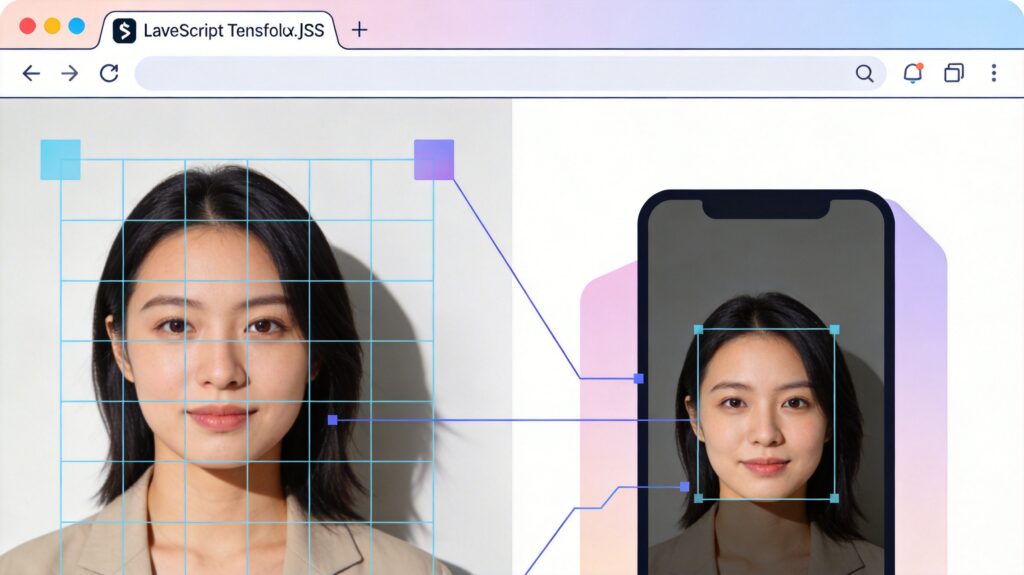
What is smartcrop.js?
smartcrop.js is an open-source JavaScript library for intelligently cropping images to specified dimensions. Its core function is to automatically analyze image content, identify primary subjects (such as faces, people, or points of interest), and use this analysis to perform cropping that preserves the most important visual elements.
How It Works
smartcrop.js determines the optimal crop region by analyzing multiple visual features of an image:
- Skin Tone Detection: Identifies potential face or skin regions.
- Saturation & Brightness: Prefers vibrant, well-exposed areas.
- Edge Detection: Avoids cropping important outlines and boundaries.
- Rule-Based Grid Sampling: Scores the image via a grid system and selects the region with the highest composite score as the crop box.
This process runs entirely client-side in the browser, requiring no server involvement, which protects user privacy.
Basic Usage Example
The following code demonstrates the basic implementation of smartcrop.js in a web page:
<!DOCTYPE html>
<html>
<head>
    <script src='smartcrop.js'></script>
</head>
<body>
    <img id='source' src='image.jpg' />
    <canvas id='result'></canvas>
    <script>
        const image = document.getElementById('source');
        image.onload = function() {
            SmartCrop.crop(image, { width: 360, height: 640 }, function(result) {
                const canvas = document.getElementById('result');
                const ctx = canvas.getContext('2d');
                const crop = result.topCrop;
                canvas.width = 360;
                canvas.height = 640;
                ctx.drawImage(image,
                    crop.x, crop.y, crop.width, crop.height,
                    0, 0, 360, 640
                );
            });
        };
    </script>
</body>
</html>
Project Resources
smartcrop.js is an open-source project hosted on GitHub:
https://github.com/jwagner/smartcrop.js/
You can find the complete source code, API documentation, more examples, and contribution guidelines there.
Use Cases
- Responsive Images: Automatically generate adapted crops for different screen sizes.
- Content Management Systems (CMS): Generate various thumbnail sizes after user uploads.
- Social Platforms: Ensure profile pictures and cover photos highlight the subject across different display contexts.
- E-commerce: Maintain uniform product listing image sizes without cropping key details.
Considerations & Limitations
- Performance: Processing large images or high-precision analysis can be time-consuming; consider running in a Web Worker.
- Complex Scenes: Recognition may be less effective with multiple subjects, low contrast, or abstract images.
- Custom Rules: The library provides configuration options to adjust parameters like skin tone weight and edge detection strength for specific needs.
In summary, smartcrop.js provides a powerful and easy-to-use intelligent cropping solution for front-end image processing, significantly improving the presentation of multimedia content and user experience.