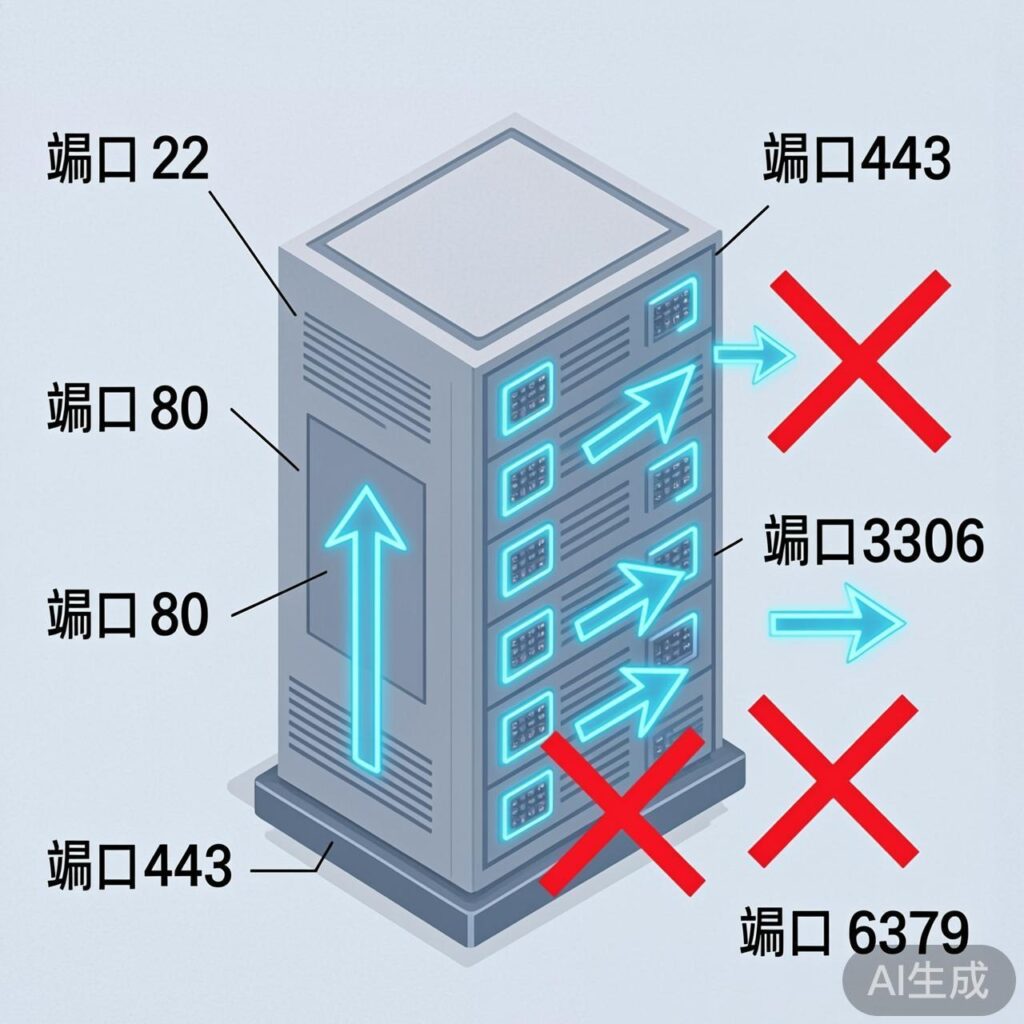
Switching from FirewallD to iptables on CentOS 7
First, stop and disable the default FirewallD service, then install and enable the iptables service.
systemctl mask firewalld
systemctl disable firewalld.service
systemctl stop firewalld
yum -y install iptables-services
systemctl enable iptables
systemctl start iptables
Check the iptables service status:
service iptables statusConfiguring iptables Rules
1. Clear Existing Rules
Clear all current rules before starting configuration.
iptables -F
iptables -X
iptables -Z
2. Set Default Policies and Basic Rules
Set default policies and allow essential traffic.
# Allow local loopback interface
iptables -A INPUT -i lo -j ACCEPT
# Allow established and related connections
iptables -A INPUT -m state --state ESTABLISHED,RELATED -j ACCEPT
# Allow all outbound traffic
iptables -A OUTPUT -j ACCEPT
3. Open Common Service Ports
Open necessary ports for your LNMP environment.
# Allow SSH (port 22)
iptables -A INPUT -p tcp --dport 22 -j ACCEPT
# Allow HTTP (port 80)
iptables -A INPUT -p tcp --dport 80 -j ACCEPT
# Allow HTTPS (port 443)
iptables -A INPUT -p tcp --dport 443 -j ACCEPT
4. Database and Service Access Control
Restrict access to services like MySQL and Redis to localhost or specific IPs.
# Allow local MySQL access, block external
iptables -A INPUT -p tcp -s 127.0.0.1 --dport 3306 -j ACCEPT
iptables -A INPUT -p tcp --dport 3306 -j DROP
# Allow local Redis access
iptables -A INPUT -s 127.0.0.1 -p tcp --dport 6379 -j ACCEPT
iptables -A INPUT -p tcp --dport 6379 -j REJECT
# Block external Memcached access
iptables -A INPUT -p tcp --dport 11211 -j DROP
iptables -A INPUT -p udp --dport 11211 -j DROP
5. Optional Rules
# Allow Ping
iptables -A INPUT -p icmp -m icmp --icmp-type 8 -j ACCEPT
# Allow FTP ports
iptables -A INPUT -p tcp --dport 20 -j ACCEPT
iptables -A INPUT -p tcp --dport 21 -j ACCEPT
# Open a port range (example: 8000-9000)
iptables -A INPUT -p tcp --dport 8000:9000 -j ACCEPT
6. Monitoring or Specific IP Rules
Allow monitoring server IPs to access UDP port 161. Replace example IPs with actual ones.
# Example: allow specific IPs for UDP 161
iptables -I INPUT -p udp -s 60.195.252.107 --dport 161 -j ACCEPT
iptables -I INPUT -p udp -s 60.195.252.110 --dport 161 -j ACCEPT
iptables -I INPUT -p udp -s XX.XX.XX.XX --dport 161 -j ACCEPT
iptables -I INPUT -p udp -s 127.0.0.1 --dport 161 -j ACCEPT
7. Final Reject Rules
Important: This rejects all inbound traffic not previously allowed. Ensure SSH (port 22) is allowed before applying.
iptables -A INPUT -j REJECT
iptables -A FORWARD -j REJECT
Rule Management and Saving
View Rules
# List rules
iptables -L -n
# List with line numbers
iptables -L -n --line-numbers
Delete Rules
# Delete rule number 3 from INPUT chain
iptables -D INPUT 3
Save Rules (CentOS)
Using iptables-services package:
# Save current rules
iptables-save > /etc/sysconfig/iptables
# Or use service command
service iptables save
# Restart service
systemctl restart iptables.service
# Enable at boot
systemctl enable iptables.service
Save Rules (Ubuntu/Debian)
Install iptables-persistent package.
sudo apt-get install iptables-persistent
# Save rules
sudo netfilter-persistent save
# Restart service
sudo systemctl restart netfilter-persistent
Switching from UFW to iptables on Ubuntu
To use native iptables instead of UFW on Ubuntu:
# 1. Disable UFW
sudo ufw disable
# 2. Install iptables and persistence tool
sudo apt-get install iptables iptables-persistent
# 3. Configure basic rules (example)
sudo iptables -A INPUT -m conntrack --ctstate ESTABLISHED,RELATED -j ACCEPT
sudo iptables -A INPUT -i lo -j ACCEPT
sudo iptables -A INPUT -p tcp --dport 22 -j ACCEPT
sudo iptables -A INPUT -j DROP
# 4. Save rules
sudo netfilter-persistent save
Advanced Rule Examples
Block IP Addresses
# Block single IP
iptables -I INPUT -s 123.45.6.7 -j DROP
# Block Class A network (123.0.0.0/8)
iptables -I INPUT -s 123.0.0.0/8 -j DROP
# Block Class B network (124.45.0.0/16)
iptables -I INPUT -s 124.45.0.0/16 -j DROP
# Block Class C network (123.45.6.0/24)
iptables -I INPUT -s 123.45.6.0/24 -j DROP
Connection Limiting (Anti-CC Attack)
# Limit 10 connections per IP to port 80
iptables -I INPUT -p tcp --dport 80 -m connlimit --connlimit-above 10 -j REJECT
# Limit packet rate using limit module
iptables -A INPUT -p tcp --dport 80 -m limit --limit 25/minute --limit-burst 100 -j ACCEPT
Final reminder: Configuring firewall rules directly on a server carries risk. Practice in a test environment or use VNC/console to avoid losing remote access.