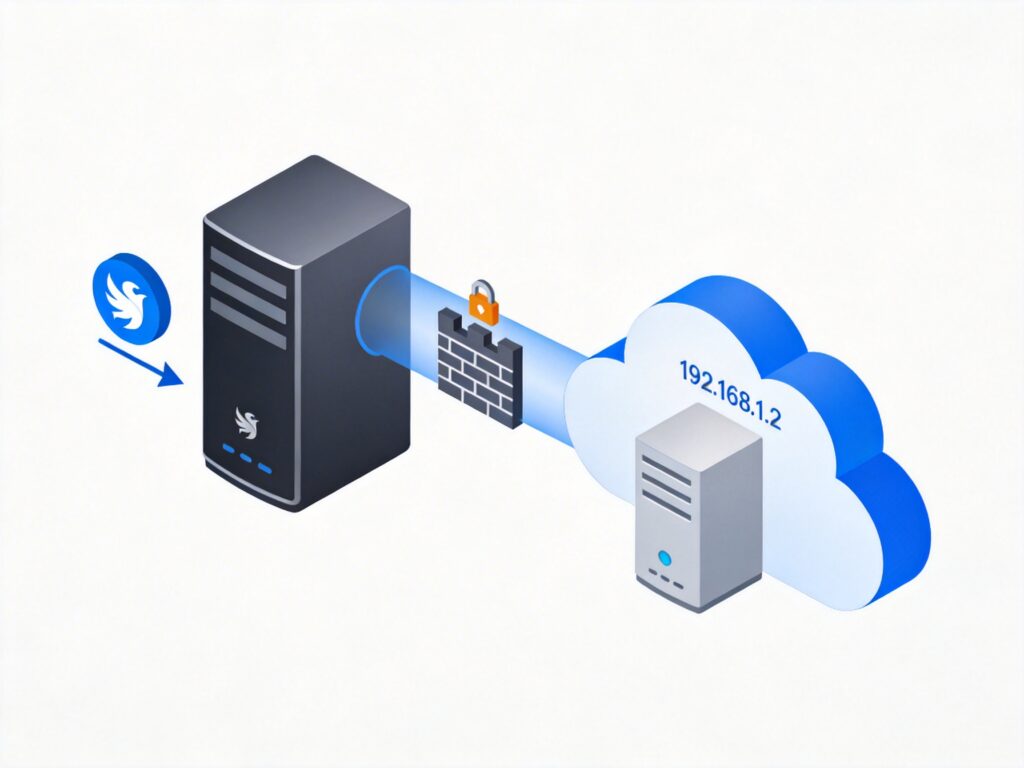
Overview of Nginx Reverse Proxy Configuration
An Nginx reverse proxy is a common network architecture pattern that allows the Nginx server to receive external requests and forward them to other servers within an internal network. This configuration is often used for hiding backend servers, load balancing, SSL termination, and other scenarios. This article details how to configure Nginx as a reverse proxy to access another server on an internal network.
Basic Configuration Example
Below is a basic Nginx reverse proxy configuration example that forwards requests for the domain youquso.com to a server with the internal IP 192.168.1.2 on port 80.
server {
    listen 80;
    server_name youquso.com www.youquso.com;

    charset utf-8;

    proxy_set_header Host $http_host;
    proxy_set_header X-Real-IP $remote_addr;
    proxy_set_header X-Forwarded-For $proxy_add_x_forwarded_for;
    proxy_set_header X-Forwarded-Proto $scheme;

    location / {
        proxy_pass http://192.168.1.2:80;
        proxy_redirect off;
    }
}
Configuration Parameter Details
1. Listening and Domain Configuration
listen 80;: Specifies that Nginx listens on port 80 (HTTP).server_name youquso.com www.youquso.com;: Defines the server name, matching requests for these domains. Note: The original configuration'swww.blog.youquso.comwas likely a typo and has been corrected towww.youquso.com.
2. Character Set Setting
charset utf-8;: Sets the response character encoding to UTF-8, ensuring correct display of characters like Chinese.
3. Proxy Header Forwarding
- The
proxy_set_headerdirective modifies request headers forwarded to the backend server:Host $http_host;: Passes the original request's Host header.X-Real-IP $remote_addr;: Passes the client's real IP to the backend.X-Forwarded-For $proxy_add_x_forwarded_for;: Appends the client IP to the X-Forwarded-For chain.X-Forwarded-Proto $scheme;: Passes the original request protocol (http or https). This is an important added header that helps backend applications identify the request source.
4. Request Forwarding Configuration
location / { ... }: Matches all request paths.proxy_pass http://192.168.1.2:80;: Specifies the backend server address and port.proxy_redirect off;: Disables response header rewriting to avoid redirection issues.
Important Corrections and Optimizations
1. Removal of Erroneous Rewrite Rule
The original configuration contained a problematic rewrite rule:
if ($uri ~ [A-Z]) {
    rewrite ^(.*)$ $url last;
}
This rule intended to rewrite URLs containing uppercase letters, but the $url variable does not exist (it should be $uri), and the logic is incomplete. In a standard reverse proxy configuration, such rewrites are usually unnecessary and have been removed. For URL normalization, more explicit rules should be used.
2. Addition of Key Proxy Headers
The X-Forwarded-Proto header has been added, which is crucial for backend applications to correctly handle HTTPS forwarding.
3. Security Recommendations
- Use HTTPS in production: Configure an SSL certificate, change
listen 80;tolisten 443 ssl;, and add SSL-related directives. - Restrict access: Use
allow/denydirectives or firewall rules to limit the IP range that can access the proxy. - Verify the backend server: Ensure the internal server (192.168.1.2:80) is running a web service correctly.
Testing and Verification
- Save the configuration file (e.g.,
/etc/nginx/conf.d/reverse-proxy.conf). - Check configuration syntax:
nginx -t - Reload Nginx:
nginx -s reloadorsystemctl reload nginx - Access
https://wpquicksearch.com; it should display content from the internal server (192.168.1.2).
Common Issue Troubleshooting
- 502 Bad Gateway: Check if the backend server is running and if Nginx can reach the internal IP.
- Domain cannot be resolved: Ensure DNS correctly points to the Nginx server's public IP.
- Redirect loop: Check the backend application's redirection logic to ensure it correctly handles proxy headers.
With the above configuration, Nginx can act as a reverse proxy, securely forwarding external requests to an internal server while passing necessary client information.