Introduction
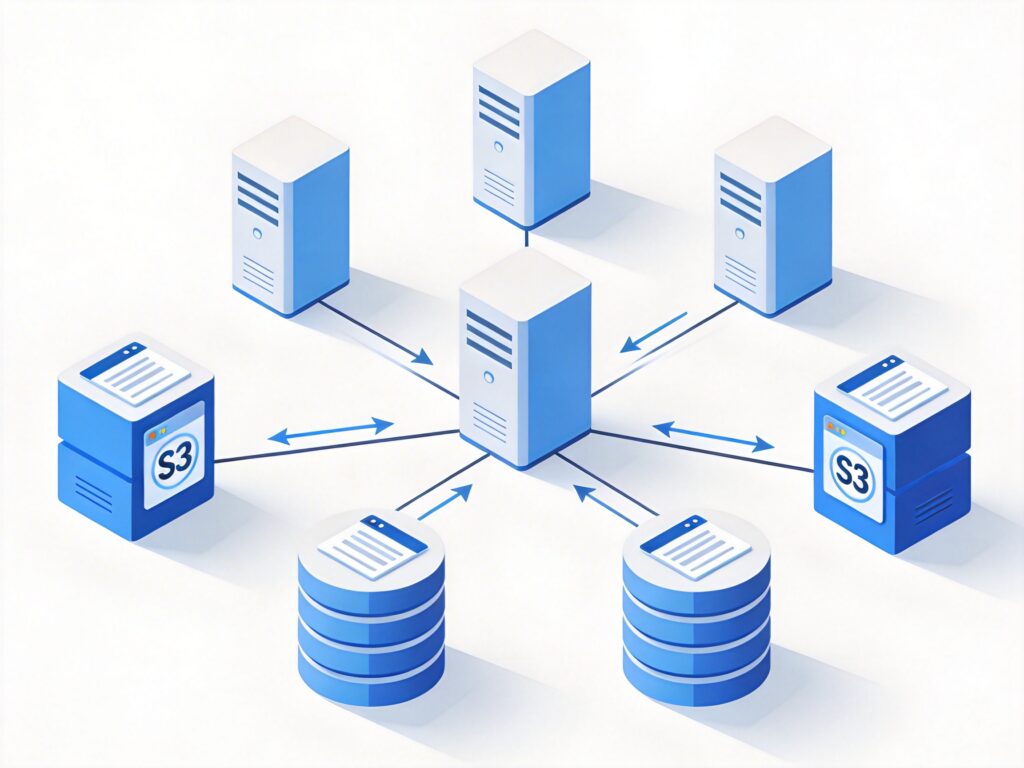
This document details the deployment of a LeoFS cluster, a distributed object storage system compatible with the Amazon S3 API. The deployment was performed across multiple virtual servers using Ansible for automation. While LeoFS demonstrates a clear architecture and solid functionality, its community activity and production validation are currently limited, making it more suitable for testing and development rather than core production workloads at this time.
Test Environment Planning
The cluster was deployed across the following nodes:
- Manager Nodes (2): Handle cluster metadata and coordination.
- IPs: 45.79.96.27, 45.79.75.81
- Node Names: [email protected], [email protected]
- Gateway Node (1): Provides the S3 API endpoint.
- IP: 45.33.47.145
- Node Name: [email protected]
- Storage Nodes (3): Store the actual object data.
- IPs: 173.255.242.49, 45.33.36.211, 45.33.48.247
- Node Names: [email protected], [email protected], [email protected]
Deployment Preparation
1. Control Node Setup
On the primary Manager node (45.79.96.27), install required tools and start a screen session.
yum install screen epel-release -y && screen -S leofs
yum install ansible -y
2. Configure Ansible Inventory
Edit the Ansible inventory file /etc/ansible/hosts to include all cluster nodes.
45.79.96.27 ansible_connection=local
45.79.75.81
45.33.47.145
173.255.242.49
45.33.36.211
45.33.48.247
Disable SSH host key checking in /etc/ansible/ansible.cfg for easier automation.
[defaults]
host_key_checking = False
3. Configure SSH Key Authentication
Generate an SSH key pair on the control node and distribute the public key to all target nodes.
ssh-keygen -t rsa -f /root/.ssh/id_rsa -N ""
ssh-copy-id -i /root/.ssh/id_rsa.pub [email protected]
ssh-copy-id -i /root/.ssh/id_rsa.pub [email protected]
ssh-copy-id -i /root/.ssh/id_rsa.pub [email protected]
ssh-copy-id -i /root/.ssh/id_rsa.pub [email protected]
ssh-copy-id -i /root/.ssh/id_rsa.pub [email protected]
ssh-copy-id -i /root/.ssh/id_rsa.pub [email protected]Tip: Use Ansible's authorized_key module to update keys later.
ansible all -m authorized_key -a "user=root key='{{ lookup('file', '/root/.ssh/id_rsa.pub') }}'"4. Verification and Basic Configuration
Test connectivity to all nodes.
ansible all -m pingDisable the firewall on all nodes for testing (configure appropriate rules for production).
ansible all -m shell -a "systemctl stop firewalld && systemctl disable firewalld"Set hostnames and update /etc/hosts on each node for proper resolution. Example for the Gateway node:
hostnamectl set-hostname G0
echo "45.33.47.145 G0" >> /etc/hosts
echo "45.33.47.145 s3.blog.youquso.com" >> /etc/hosts
echo "45.33.47.145 *.s3.blog.youquso.com" >> /etc/hosts
Reboot all nodes for hostname changes to take effect.
ansible all -m shell -a "reboot"
# Wait for reboot, then verify
ansible all -m shell -a "hostname && cat /etc/hosts"
5. Install System Dependencies
Install required packages on all nodes.
ansible all -m shell -a "yum update -y && yum install wget curl git netcat redhat-lsb-core gcc gcc-c++ glibc-devel make automake ncurses-devel openssl-devel autoconf libuuid-devel cmake check check-devel java-1.8.0-openjdk-devel vim -y"6. Install Erlang Runtime
LeoFS requires Erlang/OTP. This step is time-consuming.
ansible all -m shell -a "cd / && wget -c --no-check-certificate http://erlang.org/download/otp_src_18.3.tar.gz && tar -zxvf otp_src_18.3.tar.gz && cd /otp_src_18.3 && ./otp_build autoconf && ./configure && make && make install"Deploying the LeoFS Cluster with Ansible
1. Obtain Deployment Scripts
Download the official Ansible playbooks on the control node.
cd / && mkdir -p /codefiles && cd /codefiles
git clone https://github.com/leo-project/leofs_ansible.git
cd leofs_ansible
2. Configure Deployment Inventory
Copy the sample inventory file and edit hosts to define node roles.
cp hosts.sample hosts
cat > hosts << 'EOF'
[all:vars]
leofs_version=1.4.2
build_temp_path="/tmp/leofs_builder"
build_install_path="/tmp/"
build_branch="master"
source="package"

[builder]
45.79.96.27

[leo_manager_0]
45.79.96.27

[leo_manager_1]
45.79.75.81

[leo_storage]
173.255.242.49 [email protected]
45.33.36.211 [email protected]
45.33.48.247 [email protected]

[leo_gateway]
45.33.47.145 [email protected]

[leofs_nodes:children]
leo_manager_0
leo_manager_1
leo_gateway
leo_storage
EOF
3. Execute Deployment Playbooks
Important: Run all ansible-playbook commands from the /codefiles/leofs_ansible/ directory.
- Build LeoFS: Compile the software on the builder node.
ansible-playbook -i hosts build_leofs.yml- Install LeoFS: Distribute and install the package on all nodes.
ansible-playbook -i hosts install_leofs.yml- Configure LeoFS: Generate configuration files for each node.
ansible-playbook -i hosts config_leofs.yml- Start the Cluster: Launch all LeoFS services.
ansible-playbook -i hosts start_leofs.ymlAfter deployment, use these commands for management:
# Stop the cluster
ansible-playbook -i hosts stop_leofs.yml
# Purge cluster data and config (use with caution)
ansible-playbook -i hosts purge_leofs.yml
Basic Configuration and Management
1. Set S3 Endpoint
On any Manager node, set the S3 access endpoint (domain).
leofs-adm add-endpoint s3.blog.youquso.com2. User and Bucket Management
- Create a User:
leofs-adm create-user testuser- Create a Bucket:
leofs-adm add-bucket mybucket- Set Bucket ACL: Options are
private(default),public-read,public-read-write.
leofs-adm update-acl mybucket <access_key_id> public-read3. Common Management Queries
- List users:
leofs-adm get-users - List endpoints:
leofs-adm get-endpoints - List buckets:
leofs-adm get-buckets - Check cluster status:
leofs-adm status
Storage Node Configuration Optimization
1. Filesystem Recommendation
LeoFS officially recommends the XFS filesystem for better large file and high-concurrency I/O support. Mount a dedicated XFS data disk for storage nodes.
# Assuming new disk is /dev/vdb
mkfs.xfs /dev/vdb
mkdir -p /data/leofs
echo "/dev/vdb /data/leofs xfs defaults 0 0" >> /etc/fstab
mount -a
2. Adjust Storage Configuration
Edit the Storage node config file /usr/local/leofs/1.4.2/leo_storage/etc/leo_storage.conf to point to the data directory.
managers = [[email protected], [email protected]]
obj_containers.path = [/data/leofs]
obj_containers.num_of_containers = [8]
nodename = [email protected]
3. Disk Monitoring (Optional)
Enable and configure disk watchdog parameters in the config file for alerts.
watchdog.disk.is_enabled = true
watchdog.disk.threshold_disk_use = 85
watchdog.disk.threshold_disk_rkb = 131072  # 128 MB/s read threshold
watchdog.disk.threshold_disk_wkb = 131072  # 128 MB/s write threshold
Gateway Node Configuration Optimization
Edit the Gateway node config file /usr/local/leofs/1.4.2/leo_gateway/etc/leo_gateway.conf.
managers = [[email protected], [email protected]]
protocol = s3
http.port = 8080  # S3 API port
nodename = [email protected]

# Cache configuration
cache.cache_ram_capacity = 268435456  # 256MB RAM cache
cache.cache_disc_capacity = 0         # Disable disk cache
cache.cache_expire = 300              # Cache expiry (seconds)

# Large object handling
large_object.put_worker_pool_size = 16
large_object.put_worker_buffer_size = 32
Cluster Operations and Maintenance
1. Node Scaling
- Add Storage Node: Start the new node service, then rebalance data.
leofs-adm rebalance- Remove Storage Node: Detach the node, then rebalance.
leofs-adm detach [email protected]
leofs-adm rebalance- Suspend/Resume Node: For temporary maintenance.
leofs-adm suspend [email protected]
# ... perform maintenance ...
leofs-adm resume [email protected]
2. Data Consistency Maintenance
In this eventually consistent system, run consistency recovery during off-peak hours.
leofs-adm recover-consistencyYou can also adjust consistency levels (write, delete, read quorum).
leofs-adm update-consistency-level 2 2 1 # W=2, D=2, R=13. Data Compaction
Run periodic compaction on Storage nodes to reclaim space and improve performance.
# Start compaction with 3 parallel processes
leofs-adm compact-start [email protected] all 3
# Check compaction status
leofs-adm compact-status [email protected]
# Suspend compaction
leofs-adm compact-suspend [email protected]
4. Check Disk Usage
leofs-adm du                    # Summary view
leofs-adm du detail            # Detailed view
Conclusion
This guide provides a comprehensive walkthrough for deploying a LeoFS distributed object storage cluster using Ansible. The process covers environment preparation, software installation, cluster initialization, and basic operational tasks. LeoFS offers an S3-compatible API suitable for private cloud storage or development/testing environments. For production use, thorough performance testing, high-availability validation, and a robust maintenance plan (including regular compaction and consistency checks) are essential. Continued monitoring of the project's development is recommended.