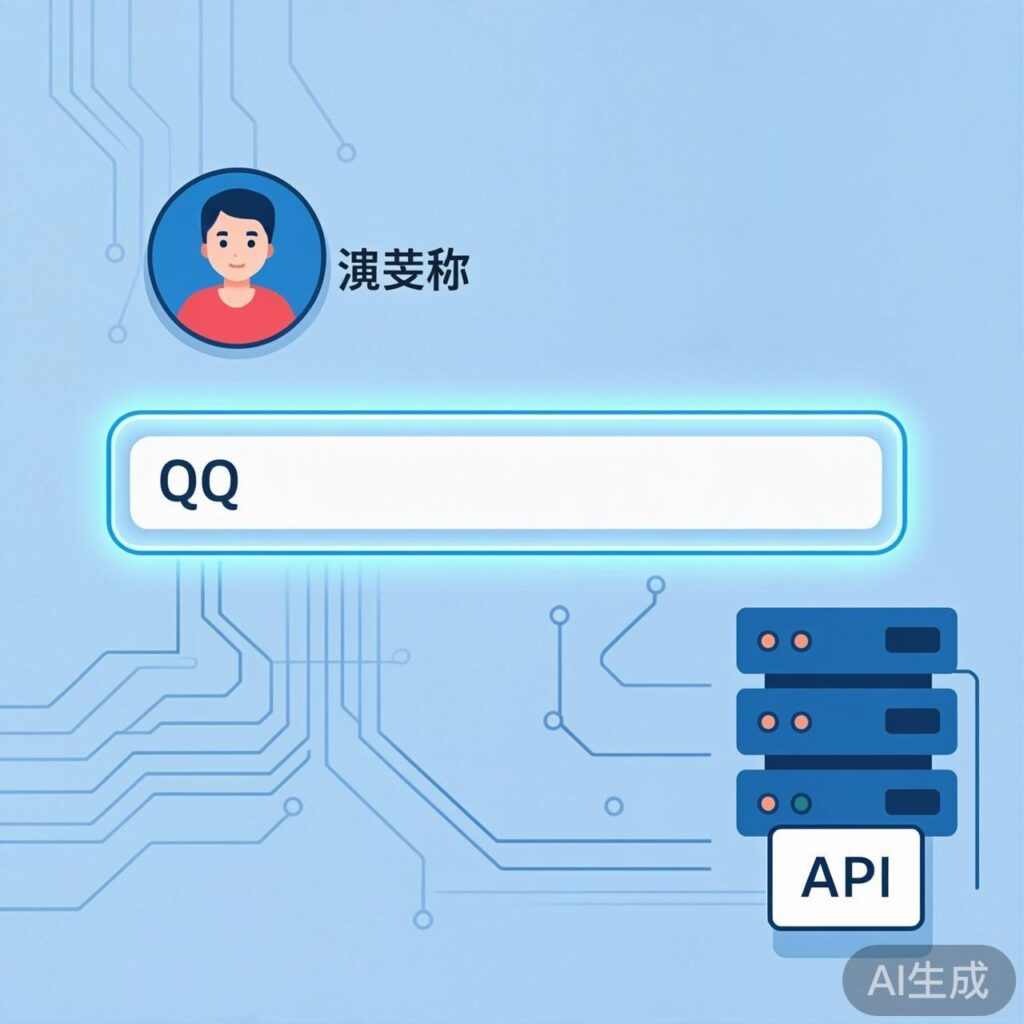
Implementation Principle
This feature allows visitors to enter a QQ number in the WordPress comment box. The system will automatically fetch the corresponding QQ nickname and avatar, populating the relevant fields in the comment form. The core workflow is as follows:
- Add a QQ number input field to the front-end comment form.
- When a visitor enters a QQ number and leaves the input field (on blur), an AJAX request is sent to the backend.
- The backend calls Tencent's API to retrieve the nickname and avatar URL for that QQ number.
- The front-end receives the data, auto-fills the nickname and avatar fields, and stores the information in a cookie for persistence after page refresh.
- The QQ number is saved as comment metadata and displayed in the front-end comment list and backend admin.
Implementation Steps
Step 1: Add QQ Field to Comment Form and Database
First, add a field for the QQ number in your theme's comment form template file (typically comments.php or comment-form.php).
<p class="comment-form-qq">
    <label for="qq">QQ Number</label>
    <input id="qq" name="new_field_qq" type="text" size="30" placeholder="Optional" />
</p>Note: The name="new_field_qq" attribute value must match the field name used in subsequent code.
Next, add the following code to your theme's functions.php file to save the submitted QQ number as comment metadata and display it in the admin comments list.
// Save QQ number as comment metadata
add_action('wp_insert_comment', 'save_comment_qq_field', 10, 2);
function save_comment_qq_field($comment_id, $commentdata) {
    if (isset($_POST['new_field_qq'])) {
        $qq = sanitize_text_field($_POST['new_field_qq']);
        update_comment_meta($comment_id, 'new_field_qq', $qq);
    }
}

// Add QQ column to admin comments list
add_filter('manage_edit-comments_columns', 'add_qq_column_to_comments');
function add_qq_column_to_comments($columns) {
    $columns['new_field_qq'] = __('QQ Number');
    return $columns;
}

// Display QQ number in the admin column
add_action('manage_comments_custom_column', 'display_qq_in_comments_column', 10, 2);
function display_qq_in_comments_column($column, $comment_id) {
    if ($column === 'new_field_qq') {
        echo get_comment_meta($comment_id, 'new_field_qq', true);
    }
}
Step 2: Front-end AJAX Interaction and Backend API Processing
This step involves front-end JavaScript and backend PHP code for real-time retrieval of QQ nickname and avatar.
Front-end JavaScript Code
Add the following code to your theme's JavaScript file (ensure jQuery is loaded). It handles the blur event, sends AJAX requests, processes the response, and manages cookies.
jQuery(document).ready(function($) {
    // On page load, try to read QQ and avatar from cookie
    if (getCookie('user_avatar') && getCookie('user_qq')) {
        $('.comment-avatar-preview img').attr('src', getCookie('user_avatar'));
        $('#qq').val(getCookie('user_qq'));
    }

    // Trigger when QQ input field loses focus
    $('#qq').on('blur', function() {
        var qqNumber = $(this).val().trim();
        if (!qqNumber || !/^[1-9][0-9]{4,11}$/.test(qqNumber)) {
            alert('Please enter a valid QQ number (5-12 digits)');
            return;
        }

        // Optionally auto-fill email field
        $('#email').val(qqNumber + '@qq.com');

        // Get nickname
        $.ajax({
            type: 'GET',
            url: '/wp-content/themes/your-theme/func_getqqinfo.php?type=getqqnickname&qq=' + qqNumber,
            dataType: 'jsonp',
            jsonp: 'callback',
            jsonpCallback: 'nicknameCallback',
            success: function(data) {
                if (data && data[qqNumber]) {
                    $('#author').val(data[qqNumber][6]); // Assumes specific data format
                    setCookie('user_qq', qqNumber);
                }
            },
            error: function() {
                console.log('Failed to fetch nickname');
            }
        });

        // Get avatar
        $.ajax({
            type: 'GET',
            url: '/wp-content/themes/your-theme/func_getqqinfo.php?type=getqqavatar&qq=' + qqNumber,
            dataType: 'jsonp',
            jsonp: 'callback',
            jsonpCallback: 'avatarCallback',
            success: function(data) {
                if (data && data[qqNumber]) {
                    $('.comment-avatar-preview img').attr('src', data[qqNumber]);
                    setCookie('user_avatar', data[qqNumber]);
                }
            },
            error: function() {
                console.log('Failed to fetch avatar');
            }
        });
    });
});

// Simple cookie functions
function setCookie(name, value, days = 30) {
    var d = new Date();
    d.setTime(d.getTime() + (days * 24 * 60 * 60 * 1000));
    document.cookie = name + "=" + encodeURIComponent(value) + ";expires=" + d.toUTCString() + ";path=/";
}

function getCookie(name) {
    var match = document.cookie.match(new RegExp('(^| )' + name + '=([^;]+)'));
    return match ? decodeURIComponent(match[2]) : null;
}Important: Replace selectors (#qq, #author, .comment-avatar-preview img) and file paths (/wp-content/themes/your-theme/func_getqqinfo.php) with those used in your theme.
Backend PHP Processing File
Create a file named func_getqqinfo.php in your theme directory with the following code. It calls Tencent's API and returns JSONP data.
<?php
/**
 * Interface file for fetching QQ nickname and avatar.
 * Note: Tencent API availability may change; please test.
 */

header('Content-Type: application/javascript; charset=utf-8');

$type = isset($_GET['type']) ? $_GET['type'] : '';
$qq = isset($_GET['qq']) ? trim($_GET['qq']) : '';
$callback = isset($_GET['callback']) ? $_GET['callback'] : 'callback';

// Validate QQ number format
if (!preg_match('/^[1-9][0-9]{4,11}$/', $qq)) {
    echo $callback . '(' . json_encode(array('error' => 'Invalid QQ number')) . ')';
    exit;
}

if ($type == 'getqqnickname') {
    // API for nickname (may be deprecated; find alternatives)
    $api_url = "http://users.qzone.qq.com/fcg-bin/cgi_get_portrait.fcg?uins=" . $qq;
    $response = @file_get_contents($api_url);
    if ($response !== false) {
        $response = mb_convert_encoding($response, "UTF-8", "GBK");
        // Process response, assuming format portraitCallBack({...})
        echo $callback . '(' . $response . ')';
    } else {
        echo $callback . '(' . json_encode(array('error' => 'Failed to fetch nickname')) . ')';
    }
    exit;
}

if ($type == 'getqqavatar') {
    // API for avatar (may be deprecated; find alternatives)
    $api_url = "http://ptlogin2.qq.com/getface?appid=1006102&imgtype=3&uin=" . $qq;
    $response = @file_get_contents($api_url);
    if ($response !== false) {
        // Replace callback function name to match front-end expectation
        $response = str_replace("pt.setHeader", $callback, $response);
        echo $response;
    } else {
        echo $callback . '(' . json_encode(array('error' => 'Failed to fetch avatar')) . ')';
    }
    exit;
}

// Default error response
echo $callback . '(' . json_encode(array('error' => 'Invalid request type')) . ')';
?>
Important Note: The Tencent APIs used (users.qzone.qq.com and ptlogin2.qq.com) are not official, stable public interfaces. Their availability and data format may change or become unavailable. For production, consider: 1) Finding and testing currently available official or stable third-party APIs. 2) Using a server-side proxy to avoid cross-origin issues. 3) Adding robust error handling and logging.
Step 3: Display QQ Avatar in Comment List and Admin
By default, WordPress uses Gravatar for comment avatars. We can use the get_avatar filter to prioritize the QQ avatar if a QQ number is provided.
Add this code to your theme's functions.php:
/**
 * Replace comment avatar with QQ avatar (if QQ number exists)
 */
add_filter('get_avatar', 'replace_comment_avatar_with_qq', 10, 3);
function replace_comment_avatar_with_qq($avatar, $id_or_email, $args) {
    // Only process avatars for comments
    if (is_object($id_or_email) && isset($id_or_email->comment_ID)) {
        $comment_id = $id_or_email->comment_ID;
        $qq_number = get_comment_meta($comment_id, 'new_field_qq', true);

        if (!empty($qq_number) && is_numeric($qq_number)) {
            // Construct QQ avatar URL (uses a known stable format, but may change)
            $qq_avatar_url = "https://q1.qlogo.cn/g?b=qq&nk=" . $qq_number . "&s=100";
            // Return custom img tag
            $avatar = "<img src='" . esc_url($qq_avatar_url) . "' class='avatar avatar-" . $args['size'] . " photo' width='" . $args['size'] . "' height='" . $args['size'] . "' alt='QQ Avatar' />";
        }
    }
    return $avatar;
}
This method uses a relatively stable QQ avatar URL format (https://q1.qlogo.cn/g?b=qq&nk=QQ_NUMBER&s=SIZE), which is more reliable than calling potentially unstable APIs. Adjust the size parameter as needed.
Notes and Optimization Suggestions
- API Stability: The Tencent APIs in this example are not official public services and may fail. Always test current interface availability and have a backup plan.
- Security: Always validate and sanitize user input (e.g., using
sanitize_text_field) to prevent security vulnerabilities. - Performance: Frequent AJAX requests and external API calls can impact page load. Consider adding debounce and caching fetched avatar URLs.
- User Experience: The example uses
alertfor prompts; replace with more user-friendly, non-blocking UI notifications. - Cookie Usage: Be mindful of privacy policy requirements when storing user information in cookies.
By following these steps, you can implement automatic QQ avatar and nickname retrieval in your WordPress site. Adjust selectors, paths, and logic according to your theme's structure and requirements.