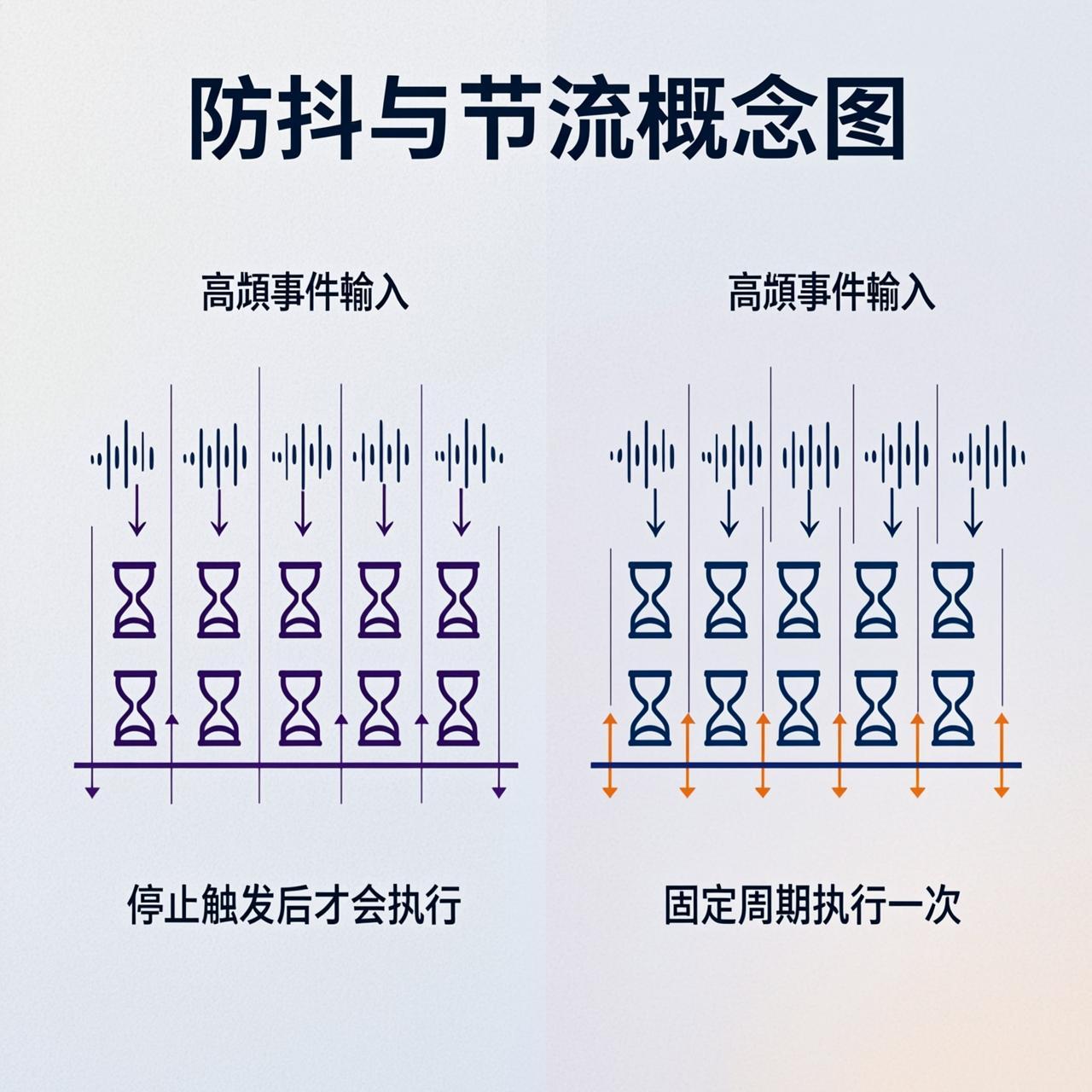
Understanding Debounce and Throttle
If you have been coding for any length of time in JavaScript, you have probably faced this problem: a user is typing in a search box, and you want to make an API call as they type. Without any control, you might end up making hundreds of requests per second, which is a nightmare for your servers.
This is exactly where debounce and throttle come in. These are two of the most important performance optimization techniques in JavaScript, and they appear constantly on Stack Overflow.
What is Debounce?
Debounce ensures that a function is only called after a specified period of inactivity. Think of it like waiting for someone to stop typing before you search.
function debounce(func, delay) {
  let timeoutId;
  return function(...args) {
    clearTimeout(timeoutId);
    timeoutId = setTimeout(() => {
      func.apply(this, args);
    }, delay);
  };
}
When to Use Debounce
- Search input - wait until user stops typing
- Window resize events
- Form validation on blur
- Auto-save functionality
What is Throttle?
Throttle ensures that a function is called at most once in a specified time period. Unlike debounce, throttle fires at regular intervals regardless of activity.
function throttle(func, limit) {
  let inThrottle;
  return function(...args) {
    if (!inThrottle) {
      func.apply(this, args);
      inThrottle = true;
      setTimeout(() => inThrottle = false, limit);
    }
  };
}
When to Use Throttle
- Scroll events
- Mouse movement tracking
- Button click protection (prevent double-submit)
- Window resize handlers
Key Differences
| Scenario | Debounce | Throttle |
|---|---|---|
| User types fast | Waits for pause, then fires once | Fires at regular intervals while typing |
| User stops | Fires once after delay | Stops firing |
| Best for | Search, validation, save | Scrolling, dragging, repeated clicks |
Conclusion
Both debounce and throttling are essential tools for building performant JavaScript applications. The key is choosing the right one for your use case: debounce when you want to wait for inactivity, throttle when you want to limit the rate of execution.