Free Quota and API Key Setup
Volcano Ark provides new users with free tokens for many models, allowing you to test them. For our AI Writer plugin, the Doubao-Seedream-4.5 model on Volcano Ark generates excellent featured images. This guide explains how to obtain your API key and configure the plugin.
Steps to Get Your API Key
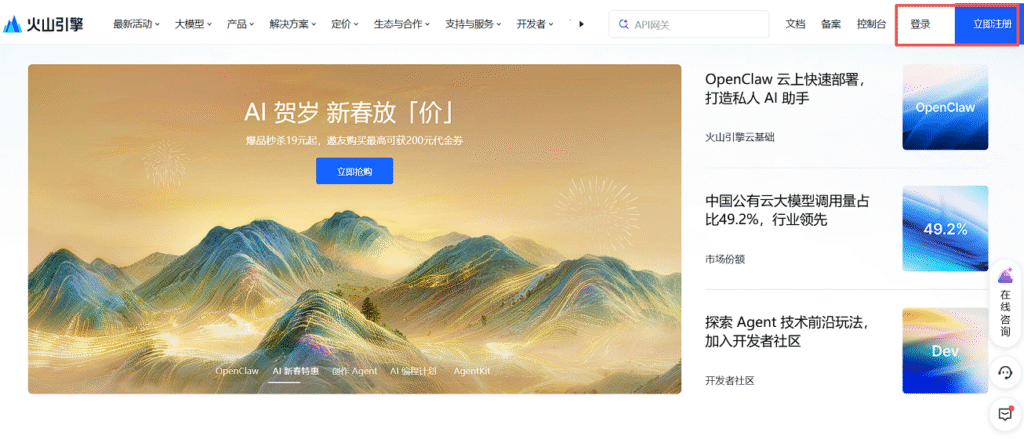
1. Register an Account
Visit https://www.volcengine.com. Click 'Register' in the top-right corner. Using a mobile number for registration is the fastest method.
2. Access the Console
After logging in, click 'Console' in the top navigation bar, or go directly to https://console.volcengine.com/home.
3. Navigate to Volcano Ark
If you see 'Volcano Ark' in the console navigation, click it. Otherwise, visit the product URL: https://console.volcengine.com/ark/region:ark+cn-beijing.
4. Go to the Model Square
Click 'Model Square' in the left sidebar. Scroll down to find the model you wish to use.
5. Select a Model and Get API Key & Name
This example uses the Doubao-Seedream-4.5 model for generating featured images with the AI Writer plugin.
- In the 'Image Generation' model list, find 'Doubao-Seedream-4.5'. Click it, then click 'API Access'.
- In the 'Quick API Access' popup, if you have an existing API Key, click the eye icon to reveal it. Otherwise, create one.
- Click 'Select to Use' to automatically copy the API Key. Paste this key into the 'Image API Key' field in your AI Writer plugin settings.
- To get the model name, return to the popup. In STEP 2, hover over the green model name, click 'Copy Parameter', and copy the model name.
- Paste the copied model name into the 'Image Model' field in your AI Writer plugin settings.
Important Notes
The same method applies to obtaining API keys and model names for text generation models (e.g., DeepSeek, GLM) available on Volcano Ark. However, when using these models, you must update the 'LLM Base URL' in the AI Writer plugin settings according to the interface examples provided by Volcano Ark, as the default URLs in the plugin are for the official DeepSeek and GLM APIs.